


Introduction
Your laptop can do a lot on its own, but the right accessories can make your setup more comfortable, productive, portable, and versatile. Whether you work from home, study, travel frequently, attend online meetings, create content, or simply use your laptop every day, a few well-chosen accessories can significantly improve the overall experience.
In this Best Laptop Accessories 2026 guide, we’ve selected useful laptop accessories covering connectivity, storage, comfort, productivity, cooling, travel, displays, and charging. The list includes practical options such as USB-C hubs, wireless mice, adjustable laptop stands, portable SSDs, webcams, wireless keyboards, cooling pads, laptop backpacks, portable monitors, and fast USB-C chargers.
We focus on features that matter to everyday buyers, including compatibility, portability, connectivity, build quality, convenience, and overall value. Whether you’re looking for the best laptop accessories for work, college, home office, travel, or everyday use, this guide will help you compare popular options before making a purchase.
Note: Prices, availability, ratings, and product specifications can change over time. Always check the retailer’s latest listing before purchasing
What You’ll Find in This Guide
In this guide, you’ll find practical laptop accessories selected for different everyday needs:
💻 Laptop Connectivity: USB-C hubs and accessories for expanding your laptop’s ports.
🖱️ Productivity & Comfort: Wireless mice, keyboards, and adjustable laptop stands for a better workspace.
💾 Storage: Portable SSD storage for transferring and carrying important files.
🎥 Video & Meetings: A Full HD webcam for video calls, online meetings, classes, and streaming.
❄️ Cooling: A laptop cooling pad designed to improve airflow during extended use.
🎒 Travel & Protection: A spacious laptop backpack for work, college, commuting, and travel.
🖥️ Portable Display: A portable monitor for adding a second screen to compatible laptops and devices.
🔋 Charging: A compact 65W USB-C charger for powering compatible laptops and other devices.
⭐ Key Features & Buying Tips: Important factors to consider before choosing the right laptop accessories for your setup.
🔎How We Selected These Products
To create this Best Laptop Accessories 2026 list, we focused on practical products that can improve everyday laptop use across work, study, travel, entertainment, and home-office setups.
We considered the following factors:
- ⭐ Customer Ratings & Reviews: Products with strong customer feedback and a meaningful number of reviews.
- 🔌 Compatibility: Support for commonly used laptops, USB-C devices, PCs, and other compatible electronics.
- 💻 Practicality: Accessories that solve common problems such as limited ports, storage, uncomfortable positioning, poor connectivity, or charging needs.
- 🛠️ Features & Build Quality: Useful features, materials, connectivity options, and overall design.
- 🎒 Portability: Important for users who travel, commute, attend college, or work from different locations.
- 💰 Price & Value: Options across different budgets, while considering the features provided.
- 👥 Different Use Cases: We included accessories for productivity, home office, students, travel, gaming, video meetings, and everyday laptop use.
- 📈 Current Buyer Interest: We also considered available marketplace signals such as recent purchase activity and product popularity.
Our goal is to help you compare useful laptop accessories based on real-world needs rather than simply listing random gadgets. Always check the latest product specifications, compatibility, price, and availability before purchasing.
📑 Table of Contents
- Top Picks: Best Laptop Accessories 2026
- 1. BENFEI USB-C Hub 5-in-1
- 2. TECKNET Wireless Mouse
- 3. Nulaxy Adjustable Laptop Stand
- 4. Samsung T7 Portable SSD 1TB
- 5. Logitech Brio 101 Webcam
- 6. Arteck Wireless Keyboard
- 7. Havit HV-F2056 Laptop Cooling Pad
- 8. DUSLANG 17-Inch Laptop Backpack
- 9. MNN 15.6-Inch Portable Monitor
- 10. INIU 65W USB-C Laptop Charger
- How to Choose the Best Laptop Accessories
- Frequently Asked Questions
- Final Thoughts
📊 Comparison Table
Before diving into the individual product reviews, this comparison table gives you a quick overview of the 10 best laptop accessories for 2026. It highlights the main purpose, important features, and typical use cases of each accessory so you can quickly identify which option fits your setup.
| # | Laptop Accessory | Category | Key Feature | Best For |
|---|---|---|---|---|
| 1 | BENFEI USB-C Hub 5-in-1 | Connectivity | Multiple ports in one compact hub | Expanding laptop ports |
| 2 | TECKNET Wireless Mouse | Productivity | Wireless design for comfortable navigation | Work & everyday use |
| 3 | Nulaxy Adjustable Laptop Stand | Ergonomics | Adjustable height and viewing angle | Desk setups & posture |
| 4 | Samsung T7 Portable SSD 1TB | Storage | Fast portable solid-state storage | File transfers & backups |
| 5 | Logitech Brio 101 Webcam | Webcam | Full HD video | Video calls & online meetings |
| 6 | Arteck Wireless Keyboard | Productivity | Wireless typing experience | Home office & productivity |
| 7 | Havit HV-F2056 Laptop Cooling Pad | Cooling | Multi-fan cooling design | Extended laptop use |
| 8 | DUSLANG 17-Inch Laptop Backpack | Travel | Large laptop compartment & storage | Work, college & travel |
| 9 | MNN 15.6-Inch Portable Monitor | Display | Portable second-screen setup | Multitasking & travel |
| 10 | INIU 65W USB-C Laptop Charger | Charging | Compact high-power USB-C charging | Laptop & device charging |
🏆 Quick Comparison Highlights
- 🔌 Best for expanding laptop ports: BENFEI USB-C Hub 5-in-1
- 🖱️ Best for everyday navigation: TECKNET Wireless Mouse
- 💻 Best for an ergonomic workspace: Nulaxy Adjustable Laptop Stand
- 💾 Best for portable storage: Samsung T7 Portable SSD 1TB
- 🎥 Best for video calls: Logitech Brio 101 Webcam
- ⌨️ Best for wireless typing: Arteck Wireless Keyboard
- ❄️ Best for additional laptop cooling: Havit HV-F2056 Laptop Cooling Pad
- 🎒 Best for laptop travel: DUSLANG 17-Inch Laptop Backpack
- 🖥️ Best for a portable second screen: MNN 15.6-Inch Portable Monitor
- 🔋 Best for USB-C charging: INIU 65W USB-C Laptop Charger
🥇 BENFEI USB-C Hub 5-in-1
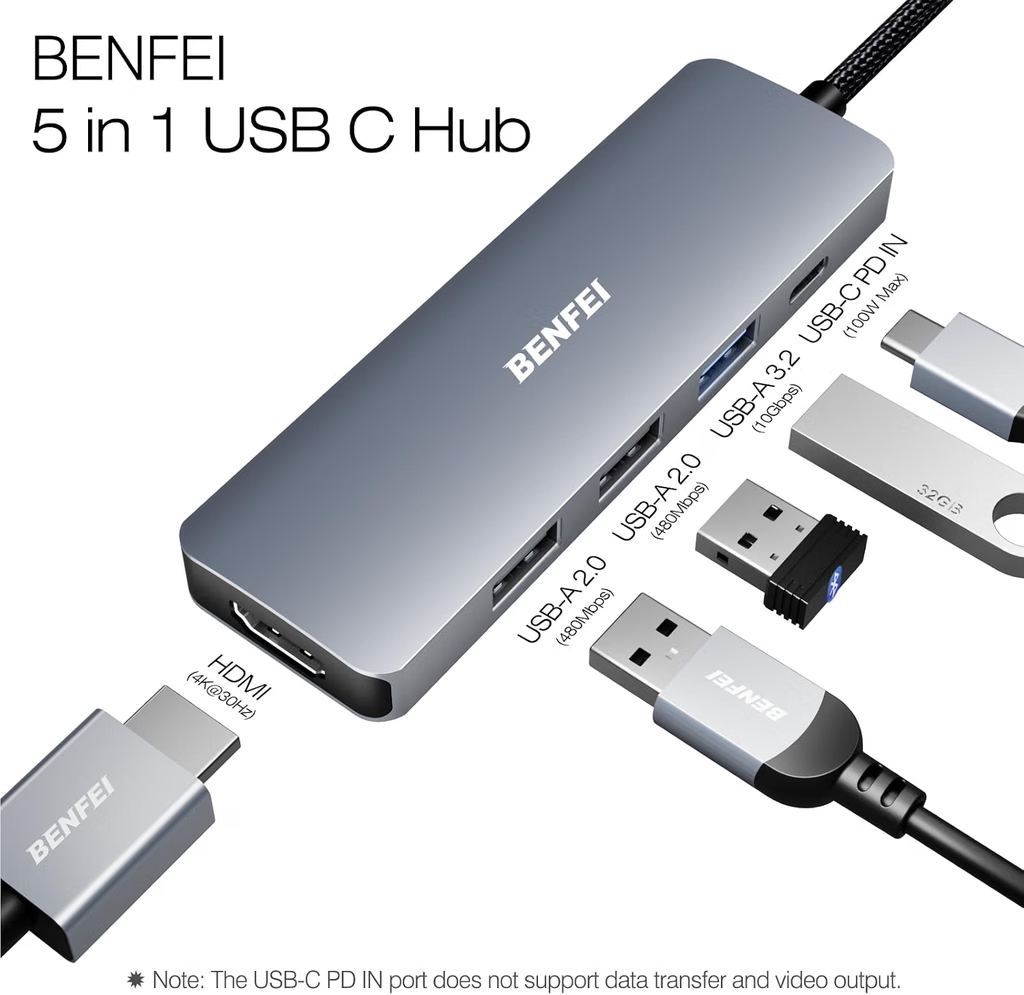
Reviews: 7,827
Rating: ⭐ 4.6/5
Category: 🔌 Laptop Connectivity & USB-C Accessories
Best For: 💻 Expanding ports, connecting peripherals, home-office setups, students, and travel
📖 Product Description
The BENFEI USB-C Hub 5-in-1 is a compact laptop accessory designed to expand connectivity on compatible laptops and USB-C devices. Modern laptops often include fewer physical ports than traditional computers, making a USB-C hub a practical addition for users who need to connect multiple peripherals.
Instead of repeatedly unplugging devices from a single USB-C port, a compatible hub can provide access to additional connections from one compact accessory. This can be especially useful for people who regularly connect a mouse, keyboard, USB storage device, display, or other compatible peripherals to their laptop.
The BENFEI USB-C Hub 5-in-1 is designed with portability in mind, making it suitable for home offices, workplaces, classrooms, study desks, and travel setups.
Before purchasing, buyers should verify the exact model’s supported ports, data-transfer capabilities, display compatibility, power requirements, and compatibility with their specific laptop.
🔌 Expand Your Laptop’s Connectivity
One of the primary reasons to consider a USB-C hub is to overcome limited port availability.
A compatible hub can make it easier to connect several accessories without constantly switching cables. This can be particularly convenient for laptops used as desktop replacements or for users who regularly move between different workspaces.
Depending on the exact model and supported specifications, the available connections may allow users to connect common peripherals such as:
- 🖱️ Wireless or wired mouse
- ⌨️ External keyboard
- 💾 USB storage devices
- 🖥️ Compatible external displays
- 📱 Other compatible USB accessories
The exact functionality depends on the specific BENFEI model and the ports provided, so buyers should always check the current product listing before purchasing.
💻 Useful for Work & Home Office
A USB-C hub can be especially useful when turning a laptop into a more complete workstation.
For example, a user may want to connect an external keyboard and mouse while also using USB storage or another compatible peripheral. Having additional ports available can make the desk setup more convenient and organized.
For remote workers and professionals, this can help reduce the amount of cable switching required during a typical workday.
🎒 Compact & Portable Design
Portability is another important consideration for laptop accessories.
A compact USB-C hub can easily become part of a laptop travel kit alongside a charger, mouse, headphones, and portable SSD. Users who work from coffee shops, coworking spaces, classrooms, offices, or multiple locations can carry the hub with their laptop without needing a large docking station.
Its compact format can therefore be useful for:
- ✈️ Business travel
- 🎓 College and university
- 🏢 Office work
- 🏠 Home-office setups
- ☕ Remote work
- 💻 Everyday laptop use
🖥️ External Display Connectivity
Some USB-C hubs provide display connectivity, which can allow compatible laptops to connect to an external monitor or other display.
However, display support is highly dependent on the exact hub model and the laptop’s USB-C capabilities. Not every USB-C port supports video output.
Before buying, check whether your laptop’s USB-C port supports the required display standard and whether the hub supports the resolution and refresh rate you need.
⚡ Data & Peripheral Connectivity
A USB-C hub can also make connecting everyday peripherals more convenient.
Users may connect compatible USB accessories such as storage drives, keyboards, mice, and other devices depending on the ports included on their specific model.
Performance can vary depending on the hub, connected device, cable, laptop port, and workload. Buyers who frequently transfer large files should pay particular attention to the hub’s advertised data-transfer specifications.
🔄 Convenient for Multiple Devices
One advantage of a multi-port hub is that it can reduce the need for separate adapters.
Instead of carrying several individual dongles for different connections, users can potentially carry one compact hub that handles several common connectivity requirements.
This can make a difference for people who frequently travel with a laptop and several accessories.
🛠️ Build Quality & Everyday Use
A laptop hub is frequently plugged in and unplugged, so physical construction and cable quality are important considerations.
Buyers should look for a design that feels appropriate for regular use and should avoid placing excessive stress on the connector or attached cable.
As with any compact electronic accessory, careful handling can help maintain reliable operation over time.
⭐ Customer Feedback
Customer feedback can be useful when evaluating a laptop hub because real-world experiences may reveal information about compatibility, port reliability, heat, cable durability, and performance.
Ratings and review counts can change as marketplace listings receive new reviews. Buyers should therefore check the current listing and read recent customer feedback before purchasing.
⚡ Quick Details
| Feature | Details |
|---|---|
| Brand | BENFEI |
| Product | USB-C Hub 5-in-1 |
| Type | Multi-port USB-C laptop hub |
| Primary Use | Expanding laptop connectivity |
| Connectivity | USB-C and additional ports depending on exact model |
| Design | Compact & portable |
| Best For | Work, study, travel & home office |
| Rating | Check current marketplace listing |
| Reviews | Check current marketplace listing |
| Price | Check current marketplace listing |
| Category | 🔌 Laptop Connectivity & USB-C Accessories |
⭐ Key Features
- 🔌 Multi-port connectivity for compatible laptops and devices
- 💻 Expands available ports on laptops with limited connectivity
- 🎒 Compact design suitable for travel and commuting
- 🖱️ Supports everyday peripherals such as compatible mice and keyboards
- 💾 Useful for external storage and other compatible USB accessories
- 🖥️ Display connectivity may be available depending on the exact model
- 🏠 Suitable for home and office setups
- 🎓 Useful for students and remote workers
- ✈️ Portable alternative to larger docking stations
- 🔄 Reduces the need for multiple individual adapters
✅ Pros
- 🔌 Expands connectivity from a compatible USB-C port
- 💻 Useful for laptops with limited built-in ports
- 🎒 Compact and easy to carry
- 🏠 Suitable for home-office and workplace setups
- 🎓 Practical for students and remote workers
- 💾 Can simplify connection of compatible USB accessories
- 🖥️ May provide additional display connectivity depending on model
- 🔄 Can replace the need for carrying multiple small adapters
❌ Cons
- 🔍 Compatibility depends on the laptop and USB-C port
- 🖥️ Display functionality varies by model and host device
- ⚡ Transfer speeds depend on the specific port and connected hardware
- 🔌 Buyers need to verify the exact port configuration before purchasing
- 🌡️ Multi-port hubs may become warm during extended use
- 💵 Price can vary depending on the model and marketplace
👤 Who Should Buy It?
The BENFEI USB-C Hub 5-in-1 is worth considering for laptop users who need additional connectivity without carrying a larger docking station.
It can be particularly useful for remote workers, office professionals, students, travelers, and home-office users who regularly connect multiple accessories to a laptop.
It may also be useful for users who have moved from a traditional laptop with several built-in ports to a newer, slimmer model with fewer physical connections.
Users who only need one additional port, however, may find a simple single-purpose adapter sufficient.
💡 Buying Considerations
Before purchasing the BENFEI USB-C Hub 5-in-1, check the exact model, supported ports, data-transfer speeds, display capabilities, power requirements, operating-system compatibility, and included cable.
Most importantly, verify what your laptop’s USB-C port actually supports. USB-C describes the connector shape, but different USB-C ports can provide different capabilities for data, video, and charging.
Also consider how many devices you normally connect. If you regularly use multiple USB devices and an external display, you may need a more advanced docking station rather than a basic hub.
For frequent travelers, dimensions and cable design are also worth checking because a smaller hub can be easier to carry.
Finally, check the retailer’s current listing for the latest price, specifications, warranty information, compatibility details, and customer reviews before purchasing.
🏆 Final Verdict
The BENFEI USB-C Hub 5-in-1 is a practical laptop accessory for users who need to expand connectivity from a compatible USB-C port.
Its compact design makes it suitable for home offices, workspaces, college, travel, and everyday laptop use, while its multi-port approach can reduce the need for carrying several separate adapters.
For laptop users dealing with limited ports, a USB-C hub can be a convenient addition to the setup. However, compatibility should always be verified before purchase, particularly when external displays, high-speed storage, or USB-C charging are involved.
🟢 PicksNDeals Verdict
A versatile USB-C hub for expanding laptop connectivity with essential ports for work, study, and everyday productivity.
View Latest Price, Deals & Availability
🥈 TECKNET Wireless Mouse
Reviews: ⭐ 4.4/5
Rating: ⭐ 5,197
Category: 🖱️ Computer Mice & Laptop Accessories
Best For: 💻 Everyday laptop use, office work, studying, browsing, and travel
Best For: Everyday laptop use, office work, studying, browsing, and portable productivity
📖 Product Description
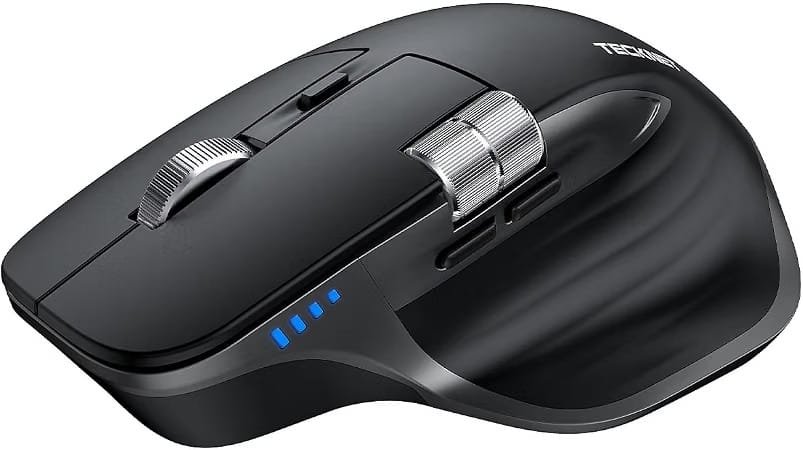
The TECKNET Wireless Mouse is a practical everyday laptop accessory designed for users who want comfortable, reliable, and clutter-free navigation. Its wireless design eliminates the need for a traditional wired connection, making it convenient for home offices, workplaces, classrooms, and travel.
With a compact and ergonomic design, the mouse is suitable for long periods of browsing, document editing, studying, and general computer use. It is also easy to carry alongside a laptop, making it a useful accessory for users who frequently work from different locations.
🖱️ Comfortable Ergonomic Design
The TECKNET Wireless Mouse is designed to provide a comfortable grip during everyday computer use. Its shape makes it easier to navigate webpages, documents, applications, and other content without relying on a laptop’s built-in touchpad.
For users who spend several hours working on a laptop, an external mouse can provide a more familiar and convenient navigation experience.
📡 Wireless Connectivity
One of the main advantages of this mouse is its wireless setup. Without a traditional mouse cable taking up desk space, users can maintain a cleaner and more organized workspace.
The wireless connection is particularly useful for:
- Laptop users
- Office workers
- Students
- Remote workers
- Home-office setups
- Travelers
🎯 Precise Everyday Navigation
A dedicated mouse can make everyday navigation easier than using a laptop touchpad, particularly when working with spreadsheets, documents, websites, design interfaces, and other desktop applications.
The TECKNET Wireless Mouse is intended primarily for general productivity rather than specialized gaming use, making it a suitable choice for everyday computing tasks.
💼 Useful for Work & Study
This mouse can be a convenient addition to a laptop workstation. It works well for common activities such as:
- Browsing the web
- Writing documents
- Managing emails
- Working with spreadsheets
- Online learning
- Remote work
- Presentations
- General office tasks
🎒 Portable Laptop Accessory
Its wireless design makes the mouse easy to include in a laptop bag or backpack. Users who regularly move between home, office, school, or other workspaces can benefit from having a dedicated mouse available whenever they need it.
🔋 Everyday Convenience
A wireless mouse can reduce cable clutter and provide greater freedom of movement around a desk. Depending on the specific TECKNET model and configuration, battery requirements and power-saving features may vary, so buyers should check the latest product listing before purchasing.
⭐ Key Features
- Wireless mouse design
- Comfortable ergonomic shape
- Designed for everyday computer navigation
- Suitable for laptops and desktop computers
- Convenient for office and study environments
- Portable design for travel
- Helps reduce desk cable clutter
- Suitable for browsing, documents, and productivity
- Practical addition to a laptop setup
⚡ Quick Details
| Feature | Details |
|---|---|
| Product | TECKNET Wireless Mouse |
| Category | Laptop & Computer Accessories |
| Connectivity | Wireless |
| Best For | Work, study, browsing & everyday use |
| Design | Ergonomic / portable |
| Compatible Use | Laptops & computers |
| Use Case | Office, home, school & travel |
| Price | Check latest Amazon listing |
| Availability | Check current availability |
👥 Customer Feedback
Wireless mice are commonly chosen by laptop users who want a more comfortable navigation experience than a built-in touchpad. Buyers typically consider factors such as comfort, wireless reliability, tracking performance, battery life, and ease of setup when evaluating an everyday mouse.
Because specifications, versions, pricing, and customer feedback can change, shoppers should review the latest Amazon listing and current reviews before purchasing.
✅ Pros
- Wireless design keeps the workspace cleaner
- Comfortable for everyday navigation
- Useful for work and study
- Easy to carry with a laptop
- Suitable for general productivity
- Practical alternative to a laptop touchpad
❌ Cons
- Requires battery/power depending on the model
- Not primarily designed as a specialized gaming mouse
- Exact features can vary between TECKNET models
- Buyers should verify compatibility and current specifications
👤 Who Should Buy It?
The TECKNET Wireless Mouse is a practical option for:
- 💻 Laptop users
- 🧑💼 Office professionals
- 🎓 Students
- 🏠 Remote workers
- ✈️ Frequent travelers
- 🖱️ Anyone who prefers using a mouse instead of a laptop touchpad
💡 Buying Considerations
Before purchasing, check the latest listing for:
- Wireless connection type – Confirm the connection method works with your laptop or computer.
- Compatibility – Check your operating system and available USB/Bluetooth connectivity where applicable.
- Battery requirements – Review the required battery type and expected operating time.
- Mouse size – Make sure the shape and dimensions are comfortable for your hand.
- Current model – TECKNET sells multiple mouse models, so verify that the specifications match the exact product you intend to buy.
- Latest customer reviews – Check recent reviews for real-world feedback.
- Current price – Prices and promotions can change, so compare the latest Amazon price before ordering.
🏆 Final Verdict
The TECKNET Wireless Mouse is a useful everyday laptop accessory for users who want a simple wireless pointing device for work, study, browsing, and general productivity. Its portable design and cable-free setup make it a convenient addition to a laptop workstation.
For shoppers building a practical laptop setup, it can complement other accessories such as a laptop stand, wireless keyboard, USB-C hub, and portable monitor.
🟢 PicksNDeals Verdict
A practical wireless mouse for everyday laptop productivity, office work, study, and portable setups.
View Latest Price, Deals & Availability
🥉 Nulaxy Adjustable Laptop Stand
Reviews: ⭐ 4.7/5
Rating: ⭐ 16,854
Category: 💻 Laptop Stands & Ergonomic Accessories
Best For: 🧑💻 Home offices, students, remote workers, desk setups, and improved laptop positioning
📖 Product Description
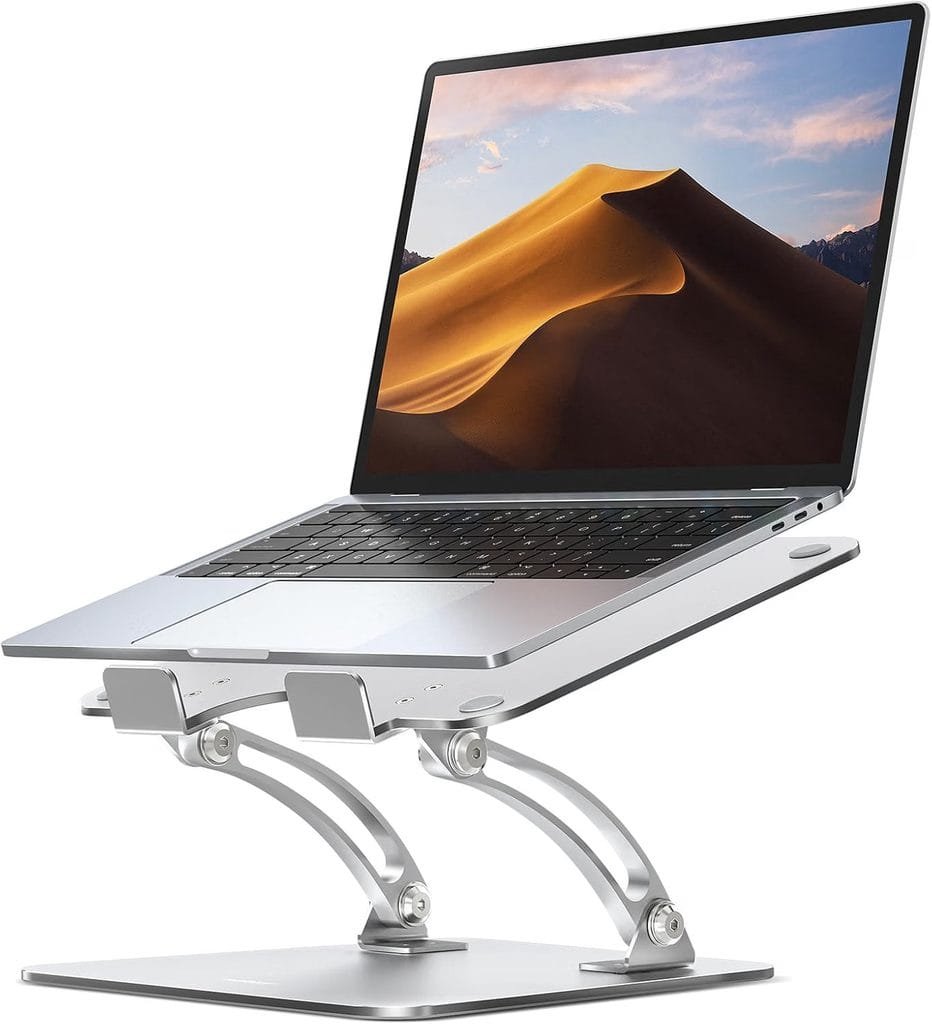
The Nulaxy Adjustable Laptop Stand is designed to improve the positioning of a laptop on a desk while creating a more comfortable and organized workspace. Its adjustable design allows users to raise and position their laptop according to their preferred viewing height and working setup.
For people who regularly spend extended periods working, studying, browsing, or attending online meetings on a laptop, a dedicated laptop stand can help create a more ergonomic desk arrangement.
🧑💻 Adjustable Height & Viewing Position
One of the key advantages of the Nulaxy Laptop Stand is its adjustable design. Users can change the laptop’s position to find a viewing angle and height that better suits their desk setup.
Raising the laptop can also make it easier to position the screen closer to eye level when combined with an external keyboard and mouse.
🪑 Better Ergonomic Workspace
A laptop placed directly on a desk may require users to look downward for long periods. A laptop stand provides another way to position the screen higher.
It can be particularly useful for:
- Home-office work
- Remote work
- Online classes
- Writing and research
- Video meetings
- Browsing and general productivity
💻 Compatible with Different Laptop Setups
The Nulaxy stand is intended for laptop users who want a dedicated elevated platform for their computer. Before purchasing, buyers should check the current listing for supported laptop sizes, weight capacity, and exact dimensions because specifications can vary by Nulaxy model.
🌬️ Improved Airflow Around the Laptop
Elevating a laptop from the desk can leave additional space around its underside, potentially allowing better airflow compared with keeping the device completely flat against a surface.
However, the actual cooling benefit depends on the laptop’s design, ventilation system, environment, and workload.
🗂️ Cleaner & More Organized Desk
A laptop stand can also help create a more structured workstation. When paired with a separate keyboard and mouse, the laptop can function more like a desktop-style workstation.
This setup can be useful for professionals, students, creators, and anyone who spends significant time at a desk.
🎒 Useful for Home & Office
The Nulaxy Adjustable Laptop Stand can fit into different workspace environments, including:
- 🏠 Home offices
- 🏢 Professional offices
- 🎓 Student desks
- 🧑💻 Remote-work setups
- 🖥️ Desktop-style laptop workstations
⭐ Key Features
- Adjustable laptop positioning
- Elevated screen placement
- Designed for desk-based laptop use
- Supports ergonomic workstation setups
- Useful with external keyboards and mice
- Helps organize a laptop workspace
- Suitable for home and office environments
- Practical for students and remote workers
- Available in different Nulaxy models and configurations
⚡ Quick Details
| Feature | Details |
|---|---|
| Product | Nulaxy Adjustable Laptop Stand |
| Category | Laptop Stands & Ergonomic Accessories |
| Design | Adjustable / elevated |
| Best For | Home office, study & productivity |
| Use | Laptop desk setups |
| Workspace | Home, office & student desks |
| Portability | Check current model |
| Price | Check latest marketplace listing |
| Availability | Check current availability |
👥 Customer Feedback
Laptop stands are commonly considered by users looking to improve desk ergonomics, raise their laptop display, or create a more comfortable workstation. Customer feedback can vary depending on the specific Nulaxy model, laptop size, weight, adjustment mechanism, and desk setup.
Because Nulaxy offers multiple laptop-stand models, buyers should review the latest customer reviews for the exact model before purchasing.
✅ Pros
- Adjustable design
- Raises the laptop display
- Useful for ergonomic desk setups
- Works well with external keyboards and mice
- Helps create a cleaner workstation
- Suitable for home, office, and study environments
❌ Cons
- May take up additional desk space
- Exact weight capacity varies by model
- Compatibility should be checked for larger or heavier laptops
- Less useful for users who primarily use their laptop away from a desk
👤 Who Should Buy It?
The Nulaxy Adjustable Laptop Stand is particularly useful for:
- 🧑💻 Remote workers
- 🏢 Office professionals
- 🎓 Students
- 🏠 Home-office users
- 🖥️ Users building desktop-style laptop setups
- ⌨️ People who use an external keyboard and mouse
- 📚 Anyone wanting a more elevated laptop screen position
💡 Buying Considerations
Before purchasing, check:
- Laptop size compatibility – Confirm the stand supports your laptop’s screen size.
- Weight capacity – Check the maximum supported weight for the exact model.
- Adjustability – Review the available height and angle adjustments.
- Build quality – Consider the materials and overall stability.
- Desk space – Make sure the stand fits comfortably on your workspace.
- Portability – If you travel frequently, check the folded size and weight.
- Current reviews – Read recent customer feedback for the exact model.
- Latest price – Compare the current marketplace price before purchasing.
🏆 Final Verdict
The Nulaxy Adjustable Laptop Stand is a practical accessory for users who want to elevate their laptop and create a more organized, ergonomic desk setup. It is particularly useful for home offices, students, remote workers, and people who pair their laptops with external keyboards and mice.
🟢 PicksNDeals Verdict
A practical adjustable laptop stand for creating a more comfortable, organized, and ergonomic workspace at home, school, or the office.
View Latest Price, Deals & Availability
🏅 Samsung T7 Portable SSD 1TB
Reviews: 21,220
Rating: ⭐ 4.7/5
Category: 💾 Portable SSD & External Storage
Best For: 💻 Laptop storage expansion, file transfers, backups, students, professionals, and travel
📖 Product Description
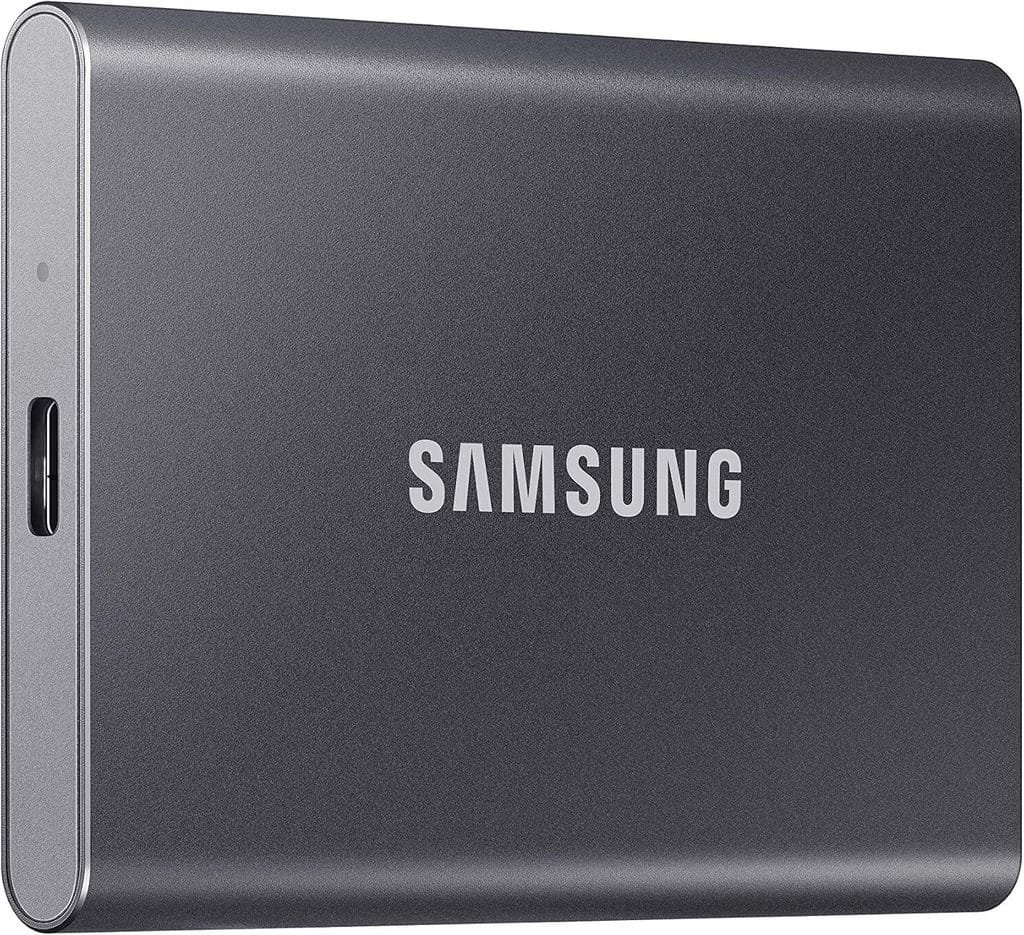
The Samsung T7 Portable SSD 1TB is a compact external solid-state drive designed for users who need fast, portable storage for laptops, computers, and other compatible devices.
With 1TB of storage, it provides additional space for documents, photos, videos, project files, applications, and other large digital files. Its compact form factor makes it convenient for users who regularly move data between home, office, school, or travel locations.
⚡ Fast Portable Storage
The T7 is designed to provide fast data transfer performance compared with traditional external hard drives. This makes it useful when moving large files such as high-resolution photos, videos, software projects, and work documents.
Actual transfer speeds can vary depending on the host device, connection, cable, file sizes, and other system conditions.
💾 1TB Storage Capacity
The 1TB capacity gives laptop users additional storage without needing to replace or upgrade their computer’s internal drive.
It can be useful for storing:
- 📸 Photos
- 🎥 Videos
- 📄 Documents
- 🎮 Game files
- 💻 Work projects
- 🎬 Creative media
- 📚 Study materials
- 🔐 Backup files
🎒 Compact & Portable Design
One of the biggest advantages of a portable SSD is its convenient size. The Samsung T7 is designed to be easy to carry in a laptop bag, backpack, or even a small accessory pouch.
This makes it useful for professionals, students, photographers, creators, and travelers who need access to their files away from their main computer.
🔄 Convenient File Transfers
An external SSD can make moving files between compatible devices more convenient. Users can transfer project folders, media libraries, documents, and backup data without relying entirely on cloud storage.
For people working with large files, having a dedicated portable SSD can also provide another practical storage option.
🛡️ Useful for Backups
The Samsung T7 can be used as part of a personal backup strategy. Important documents, photographs, work files, and other data can be copied to external storage for an additional layer of protection.
An external SSD should not be considered a complete backup strategy by itself, however. Keeping important data in multiple locations can provide better protection against hardware failure or accidental deletion.
💻 Useful for Professionals & Creators
The T7 can be especially useful for people who regularly handle large amounts of data, including:
- 🎨 Graphic designers
- 🎬 Video editors
- 📸 Photographers
- 👨💻 Developers
- 🧑💼 Professionals
- 🎓 Students
- 🏠 Remote workers
🔌 Easy Laptop Accessory
The portable SSD connects externally to compatible devices, making it a convenient storage accessory for laptops and desktop computers.
Before purchasing, users should check the exact included cables, supported interfaces, operating-system compatibility, and their device’s available ports.
⭐ Key Features
- 1TB portable SSD storage
- Compact portable form factor
- Fast external storage performance
- Suitable for large file transfers
- Useful for laptop storage expansion
- Convenient for backups
- Suitable for photos, videos, documents, and projects
- Designed for portable use
- Samsung portable SSD product line
⚡ Quick Details
| Feature | Details |
|---|---|
| Product | Samsung T7 Portable SSD 1TB |
| Category | Portable SSD & External Storage |
| Capacity | 1TB |
| Storage Type | Portable Solid-State Drive |
| Best For | Storage, backups & file transfers |
| Use | Laptop, desktop & compatible devices |
| Portability | Compact / travel-friendly |
| Price | Check latest marketplace listing |
| Availability | Check current availability |
👥 Customer Feedback
Portable SSD buyers commonly consider transfer speed, reliability, storage capacity, portability, compatibility, and long-term usability when choosing external storage.
Customer experiences can vary depending on the computer, connection type, workload, and usage conditions. Since marketplace ratings and reviews can change over time, check the latest Samsung T7 listing and recent customer reviews before purchasing.
✅ Pros
- Fast portable storage solution
- 1TB provides substantial additional space
- Compact and easy to carry
- Useful for large file transfers
- Suitable for backups and media storage
- Helpful for laptops with limited internal storage
- Practical for professionals and students
❌ Cons
- Requires an external connection
- Actual performance depends on the host device and connection
- 1TB capacity may not be enough for very large media libraries
- Buyers should verify compatibility and included accessories
👤 Who Should Buy It?
The Samsung T7 Portable SSD 1TB is a useful option for:
- 💻 Laptop users needing extra storage
- 🎬 Video editors
- 📸 Photographers
- 🎨 Creators
- 🧑💼 Professionals
- 🎓 Students
- 👨💻 Developers
- ✈️ Travelers who need portable files
- 🔐 Users who want additional backup storage
💡 Buying Considerations
Before purchasing, check:
- Storage capacity – Confirm that 1TB meets your storage requirements.
- Port compatibility – Check the ports available on your laptop or computer.
- Included cables – Verify which cables and accessories are included with the current listing.
- Transfer performance – Actual speeds depend on your device and connection.
- Operating-system compatibility – Confirm compatibility with your computer and intended devices.
- Portability – Consider whether its size suits your travel and work setup.
- Current reviews – Check recent customer feedback for the exact listing.
- Latest price – Prices and promotions can change, so check the current marketplace price before ordering.
🏆 Final Verdict
The Samsung T7 Portable SSD 1TB is a practical storage accessory for laptop users who need additional space, convenient file transfers, portable backups, or a reliable way to carry large files.
Its combination of 1TB capacity, compact design, and portable SSD performance makes it well suited to everyday laptop users as well as professionals and creators working with larger files.
🟢 PicksNDeals Verdict
A compact 1TB portable SSD for fast file transfers, additional laptop storage, backups, and convenient everyday portability.
View Latest Price, Deals & Availability
🏅Logitech Brio 101 Webcam
Reviews: 7,819
Rating:⭐ 4.4/5
Category: 📹 Webcams & Video Conferencing Accessories
Best For: 💻 Video calls, remote work, online classes, meetings, and everyday laptop use
📖 Product Description
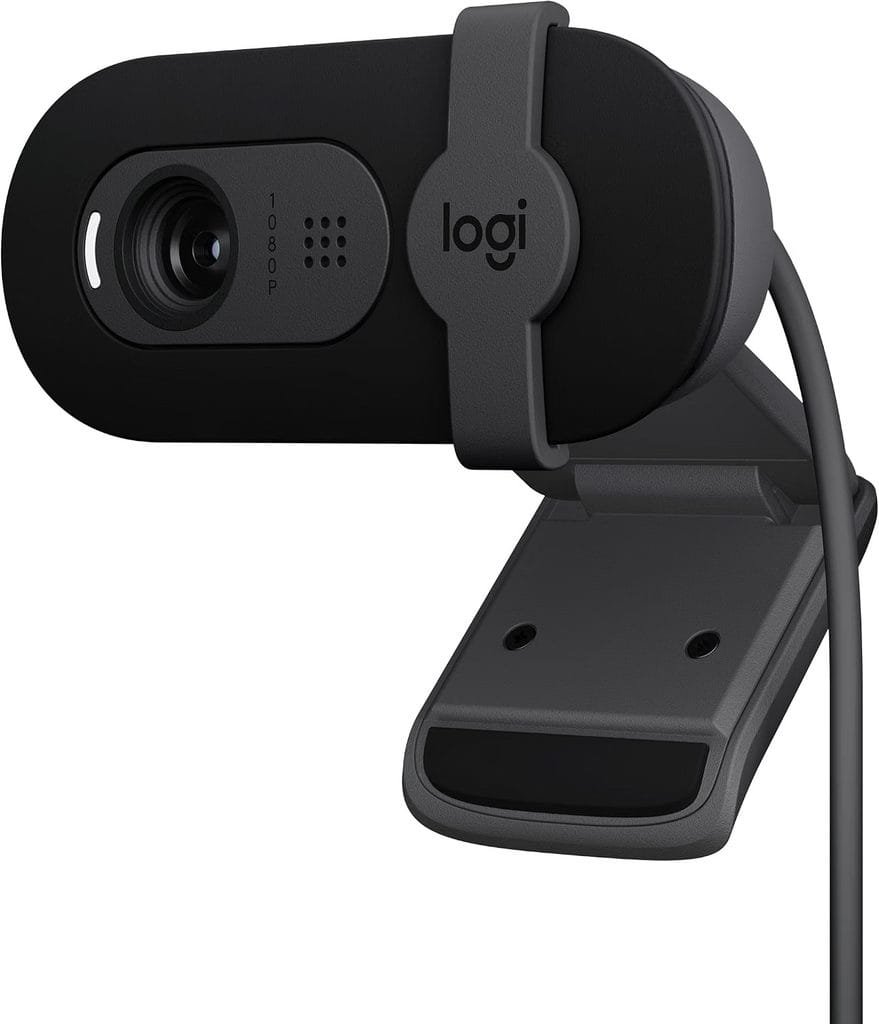
The Logitech Brio 101 Webcam is a compact webcam designed to improve the video-calling experience on laptops and desktop computers. It provides a dedicated camera option for users who want a simple solution for online meetings, remote work, virtual classes, and personal video calls.
For laptops with an average or limited built-in webcam, an external webcam can provide a convenient way to upgrade the camera experience without replacing the computer.
📹 Full HD Video
The Brio 101 is designed for everyday video communication and supports Full HD 1080p video, providing a clear image for compatible video-call applications and supported settings.
Video quality can still depend on lighting, internet connection, software, and the computer being used.
💻 Ideal for Video Meetings
A dedicated webcam can be particularly useful for people who regularly participate in:
- 🧑💼 Business meetings
- 🏠 Remote-work calls
- 🎓 Online classes
- 💻 Virtual interviews
- 👥 Team meetings
- 💬 Personal video calls
It provides a simple way to add an external camera to a laptop or desktop setup.
🌤️ RightLight 2 Technology
The Logitech Brio 101 includes RightLight 2 technology, which is designed to help improve the appearance of the image in varying lighting conditions.
Good lighting is still important, but automatic image adjustments can make everyday video calls more convenient.
🎙️ Built-In Microphone
The webcam includes a built-in microphone for video communication, allowing users to handle calls without necessarily needing a separate microphone.
For professional recording, podcasting, or high-quality voice production, however, a dedicated microphone may still provide a more specialized solution.
🔒 Privacy Shutter
The Brio 101 features an integrated privacy shutter, allowing users to physically cover the camera when it is not being used.
This can be useful for people who want a simple physical privacy measure between video calls.
🖥️ Easy Desktop & Laptop Setup
The webcam is designed to work with common computer setups and can be positioned on a compatible laptop screen or monitor.
Its compact design makes it suitable for:
- Home offices
- Professional desks
- Student workstations
- Remote-work setups
- Desktop computers
🌐 Useful for Popular Video-Calling Platforms
The Brio 101 is designed for use with common video-conferencing and communication software. Compatibility can vary depending on the operating system and software version, so buyers should verify current compatibility before purchasing.
⭐ Key Features
- Full HD 1080p video
- RightLight 2 technology
- Built-in microphone
- Integrated privacy shutter
- Compact webcam design
- Suitable for laptops and desktop computers
- Designed for video calls and meetings
- Useful for remote work and online learning
- Simple addition to a workstation
⚡ Quick Details
| Feature | Details |
|---|---|
| Product | Logitech Brio 101 Webcam |
| Category | Webcams & Video Conferencing Accessories |
| Video | Full HD 1080p |
| Microphone | Built-in |
| Lighting Technology | RightLight 2 |
| Privacy | Integrated privacy shutter |
| Best For | Meetings, calls & online classes |
| Use | Laptop & desktop setups |
| Price | Check latest marketplace listing |
| Availability | Check current availability |
👥 Customer Feedback
Webcam buyers commonly consider image quality, microphone performance, lighting correction, privacy features, compatibility, and ease of setup when choosing an external webcam.
Actual customer experiences can vary depending on lighting conditions, computer hardware, software, and internet quality. Check the latest marketplace reviews for the exact Logitech Brio 101 listing before purchasing.
✅ Pros
- Full HD 1080p video
- Compact design
- Built-in microphone
- RightLight 2 technology
- Physical privacy shutter
- Suitable for remote work and video meetings
- Useful for laptops and desktop computers
❌ Cons
- Video quality depends heavily on lighting
- Built-in microphone may not replace a dedicated microphone for professional audio
- Advanced creators may want a more feature-rich webcam
- Buyers should verify current compatibility
👤 Who Should Buy It?
The Logitech Brio 101 is suitable for:
- 🧑💼 Remote workers
- 🎓 Students
- 🏠 Home-office users
- 💻 Laptop users
- 🗣️ Professionals attending online meetings
- 👥 People making frequent video calls
- 🎥 Users wanting a dedicated Full HD webcam
💡 Buying Considerations
Before purchasing, check:
- Video resolution – Confirm the supported resolution meets your needs.
- Lighting conditions – Even with automatic lighting correction, good lighting can improve image quality.
- Microphone requirements – Consider whether the built-in microphone is sufficient for your calls.
- Privacy – Check the physical privacy-shutter design.
- Software compatibility – Verify compatibility with your operating system and preferred video-call applications.
- Mounting position – Make sure it fits your laptop screen or monitor.
- Current reviews – Read recent reviews for the exact product listing.
- Latest price – Check the current marketplace price and available deals.
🏆 Final Verdict
The Logitech Brio 101 Webcam is a practical external webcam for users who regularly attend video meetings, online classes, remote-work calls, or everyday video chats.
With Full HD video, RightLight 2 technology, a built-in microphone, and a privacy shutter, it provides several useful features for a straightforward laptop or desktop video-calling setup.
🟢 PicksNDeals Verdict
A practical Full HD webcam for video meetings, remote work, online classes, and everyday laptop or desktop video calls.
View Latest Price, Deals & Availability
🏅 Arteck Wireless Keyboard
Reviews: 29,265
Rating: ⭐ 4.4/5
Category: ⌨️ Wireless Keyboards & Laptop Accessories
Best For: 💻 Laptop work, office setups, students, remote work, typing, and desktop-style laptop setups
📖 Product Description
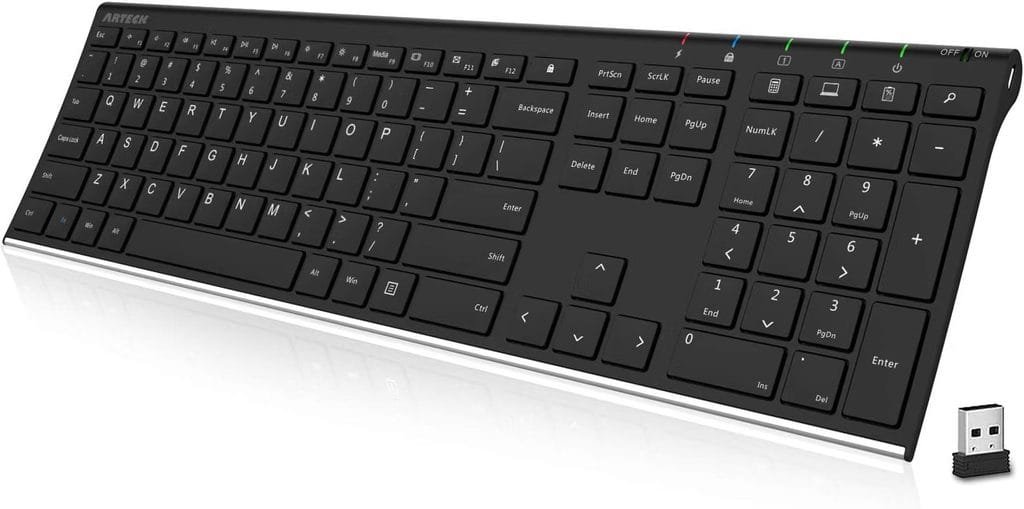
The Arteck Wireless Keyboard is a compact external keyboard designed for users who want a more comfortable and convenient typing experience with their laptop, desktop computer, or compatible device.
A separate wireless keyboard can be particularly useful when a laptop is placed on a stand or connected to an external monitor, allowing the user to position the keyboard independently from the screen.
⌨️ Comfortable Typing Experience
An external keyboard provides a dedicated typing surface that can be more convenient for users who regularly write documents, emails, reports, assignments, and other content.
It is suitable for everyday tasks such as:
- 📝 Writing documents
- 📊 Spreadsheets
- 🌐 Web browsing
- 🎓 Online learning
- 💼 Office work
- 💻 General productivity
📡 Wireless Design
The wireless design helps reduce cable clutter around the workspace. This can make it easier to maintain a clean desk, especially when the keyboard is being used with a laptop stand or external monitor.
The exact connection method and compatibility should be checked on the current product listing before purchase.
🖥️ Great for Desktop-Style Laptop Setups
Pairing a laptop stand with an external keyboard and mouse can create a more flexible workstation. The laptop screen can be positioned separately while the keyboard remains at a comfortable typing position.
This makes the Arteck Wireless Keyboard a useful companion for other laptop accessories in this guide.
🎒 Compact & Convenient
A compact keyboard can be easier to manage in smaller workspaces. It can also be useful for people who move between home and office setups.
Its wireless design provides additional flexibility compared with a traditional wired keyboard.
🔋 Rechargeable Battery
Many Arteck wireless keyboard models are designed with rechargeable batteries, reducing the need to frequently replace disposable batteries.
However, battery specifications and charging details can differ between models, so buyers should verify the exact specifications of the current listing.
🏠 Useful for Home & Office
The Arteck Wireless Keyboard can be used in a variety of environments, including:
- 🏠 Home offices
- 🏢 Professional offices
- 🎓 Student desks
- 🧑💻 Remote-work stations
- 🖥️ Desktop-style laptop setups
⭐ Key Features
- Wireless keyboard design
- Compact form factor
- Designed for everyday typing
- Useful for laptop and desktop setups
- Suitable for work and study
- Helps reduce desk cable clutter
- Convenient for home-office setups
- Useful with laptop stands and external displays
- Rechargeable options available depending on model
⚡ Quick Details
| Feature | Details |
|---|---|
| Product | Arteck Wireless Keyboard |
| Category | Wireless Keyboards & Laptop Accessories |
| Connection | Wireless |
| Design | Compact / low-profile |
| Best For | Typing, work, study & productivity |
| Use | Laptop & desktop setups |
| Battery | Check current model |
| Portability | Suitable for flexible workspaces |
| Price | Check latest marketplace listing |
| Availability | Check current availability |
👥 Customer Feedback
Wireless keyboard buyers commonly consider typing comfort, key feel, wireless reliability, battery life, size, compatibility, and build quality when selecting an external keyboard.
Actual experiences can vary by model and computer setup. Since Arteck offers different keyboard configurations, buyers should review the latest customer feedback for the exact model before purchasing.
✅ Pros
- Wireless and convenient
- Helps reduce cable clutter
- Useful for laptop workstations
- Suitable for office and study
- Compact design
- Works well with laptop stands
- Useful for extended typing tasks
❌ Cons
- Requires charging or battery power depending on model
- Exact compatibility varies by model
- Compact keyboards may have fewer dedicated keys
- Buyers should verify the exact connection method
👤 Who Should Buy It?
The Arteck Wireless Keyboard is a useful choice for:
- 🧑💼 Office professionals
- 🧑💻 Remote workers
- 🎓 Students
- 🏠 Home-office users
- ✍️ People who type frequently
- 💻 Laptop users creating desktop-style setups
- 🖥️ Users connecting laptops to external monitors
💡 Buying Considerations
Before purchasing, check:
- Connection type – Verify how the keyboard connects to your computer.
- Compatibility – Confirm compatibility with your operating system and device.
- Keyboard layout – Check the layout and key arrangement you prefer.
- Battery – Review battery type, charging method, and expected battery life.
- Keyboard size – Make sure the dimensions suit your desk and travel needs.
- Typing experience – Consider key travel and overall typing feel.
- Current reviews – Read recent reviews for the exact model.
- Latest price – Check the current marketplace price and available deals.
🏆 Final Verdict
The Arteck Wireless Keyboard is a practical laptop accessory for users who want a separate keyboard for everyday typing, office work, studying, and home-office productivity.
Its wireless design can help create a cleaner workstation and works particularly well when a laptop is elevated on a stand or connected to an external display.
🟢 PicksNDeals Verdict
A practical wireless keyboard for comfortable everyday typing, office work, study, remote work, and desktop-style laptop setups.
View Latest Price, Deals & Availability
🏅Havit HV-F2056 Laptop Cooling Pad

Reviews: 45,391
Rating: ⭐ 4.4/5
Price: Check current marketplace listing
Category: ❄️ Laptop Cooling Pads & Cooling Accessories
Best For: 💻 Laptop cooling, gaming laptops, office work, extended use, and improved airflow
📖 Product Description
The Havit HV-F2056 Laptop Cooling Pad is a slim laptop cooling accessory designed to provide additional airflow underneath a compatible laptop.
It can be useful for users who regularly spend long periods working, studying, gaming, streaming, or performing other demanding tasks on their laptops. Its cooling-fan design helps move air around the underside of the computer while also providing an elevated surface.
❄️ Multi-Fan Cooling Design
The HV-F2056 uses multiple built-in fans to provide airflow underneath the laptop. This can help improve ventilation around the laptop’s bottom panel during extended use.
Cooling performance can vary depending on the laptop’s internal cooling system, workload, room temperature, and laptop design.
🌬️ Improved Airflow
Keeping the underside of a laptop slightly elevated can provide additional space for airflow. The cooling pad is designed to work underneath the computer rather than replacing the laptop’s built-in cooling system.
It can be particularly useful when a laptop is placed on a desk for long periods.
🎮 Useful for Gaming & Heavy Workloads
Laptops used for gaming, video editing, large applications, or other demanding workloads can generate more heat than during light browsing.
The Havit cooling pad can be considered by users who frequently perform tasks such as:
- 🎮 Gaming
- 🎬 Video editing
- 🖥️ 3D applications
- 💻 Extended office work
- 📚 Long study sessions
- 📺 Streaming and entertainment
🖥️ Slim & Low-Profile Design
The cooling pad is designed with a relatively slim profile, making it suitable for users who want additional cooling without adding a large accessory to their desk.
Its form factor can also make it easier to carry than larger desktop-style cooling solutions.
🔌 USB-Powered Operation
The cooling pad uses USB power, making it convenient to connect directly to a compatible laptop.
Before purchasing, users should check the current product listing for the exact USB configuration and whether it fits their preferred laptop setup.
🔄 Adjustable Fan Control
The HV-F2056 includes fan-control functionality, allowing users to manage the cooling fans according to their needs.
This can be useful when users want additional airflow during demanding workloads while keeping the setup simpler during lighter tasks.
💼 Useful for Office & Home Setups
The cooling pad can be used in several environments, including:
- 🏠 Home offices
- 🏢 Workstations
- 🎮 Gaming setups
- 🎓 Student desks
- 🧑💻 Remote-work setups
⭐ Key Features
- Multi-fan laptop cooling design
- Additional airflow underneath the laptop
- USB-powered operation
- Slim and portable form factor
- Designed for compatible laptop sizes
- Useful for extended laptop use
- Suitable for gaming and productivity
- Adjustable fan-control functionality
- Helps elevate the laptop from the desk surface
⚡ Quick Details
| Feature | Details |
|---|---|
| Product | Havit HV-F2056 Laptop Cooling Pad |
| Category | Laptop Cooling Pads & Accessories |
| Cooling | Multi-fan design |
| Power | USB-powered |
| Best For | Cooling, gaming & extended use |
| Design | Slim / portable |
| Use | Home, office & gaming setups |
| Fan Control | Adjustable |
| Price | Check latest marketplace listing |
| Availability | Check current availability |
👥 Customer Feedback
Laptop cooling-pad buyers commonly consider fan performance, noise levels, laptop compatibility, build quality, USB connectivity, portability, and overall cooling effectiveness.
Actual cooling results vary depending on the laptop and environment. A cooling pad cannot replace a laptop’s internal cooling system, and buyers should check recent customer reviews for the exact Havit HV-F2056 listing before purchasing.
✅ Pros
- Multiple fans provide additional airflow
- USB-powered and convenient
- Slim design
- Useful for extended laptop sessions
- Suitable for gaming and productivity
- Can help elevate the laptop
- Practical for home and office setups
❌ Cons
- Cooling effectiveness depends on the laptop
- Fan noise may vary by user and environment
- Requires a USB connection
- Adds another accessory to the laptop setup
- Not a replacement for proper internal laptop cooling
👤 Who Should Buy It?
The Havit HV-F2056 Laptop Cooling Pad can be useful for:
- 🎮 Gamers
- 💻 Laptop power users
- 🧑💻 Remote workers
- 🎬 Content creators
- 🎓 Students
- 🏠 Home-office users
- 🖥️ People who use laptops for extended periods
💡 Buying Considerations
Before purchasing, check:
- Laptop size compatibility – Confirm that your laptop fits the cooling pad.
- Cooling requirements – Consider whether your laptop actually needs additional airflow.
- Fan noise – Review customer feedback regarding operating noise.
- USB connection – Check the available USB ports and power requirements.
- Desk setup – Make sure the cooling pad fits comfortably beneath your laptop.
- Portability – Consider its size if you frequently travel.
- Current reviews – Read recent feedback for the exact model.
- Latest price – Check the current marketplace price before purchasing.
🏆 Final Verdict
The Havit HV-F2056 Laptop Cooling Pad is a practical accessory for laptop users who want additional airflow during extended work, gaming, studying, or other demanding sessions.
Its multi-fan design, USB-powered operation, and slim form factor make it a convenient addition to a laptop workstation, particularly for users who spend long periods using their computers on a desk.
🟢 PicksNDeals Verdict
A practical multi-fan cooling pad for improving airflow around compatible laptops during gaming, work, study, and extended use.
View Latest Price, Deals & Availability
🏅 DUSLANG 17-Inch Laptop Backpack
Reviews: 3,562
Rating: ⭐ 4.7/5
Category: 🎒 Laptop Backpacks & Travel Accessories
Best For: 💻 Laptop protection, commuting, students, business travel, work, and carrying accessories
📖 Product Description
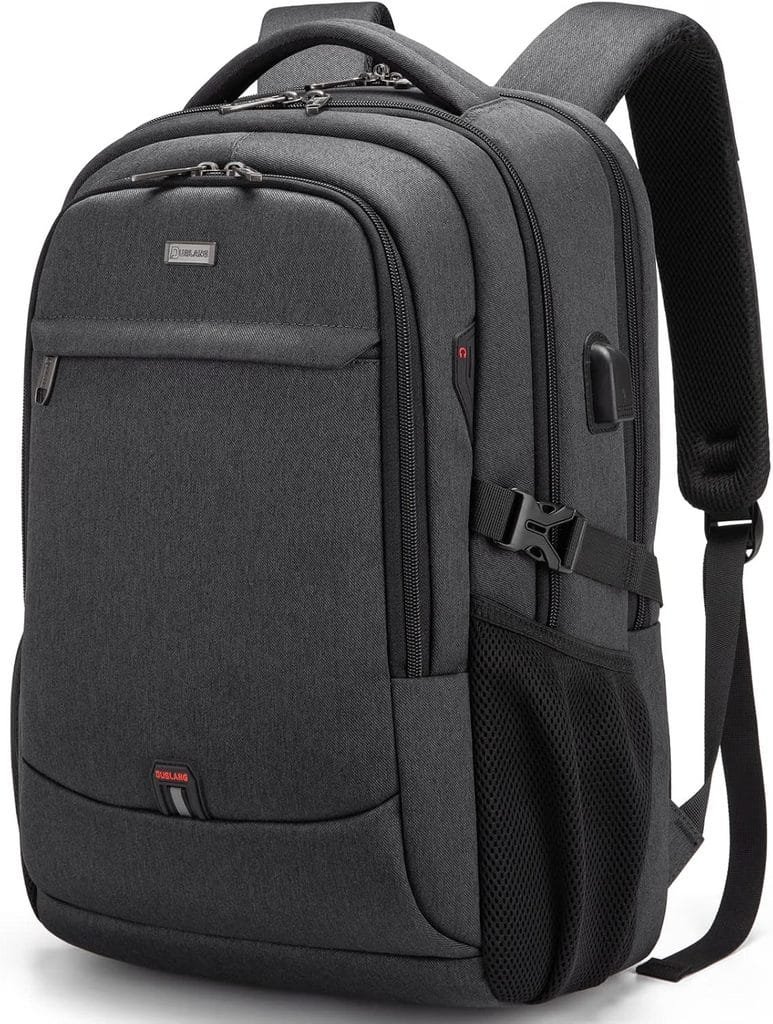
The DUSLANG 17-Inch Laptop Backpack is designed for users who need to carry a laptop along with other everyday essentials. Its larger laptop compartment makes it suitable for users with larger notebooks, while multiple storage sections can help organize accessories, documents, chargers, and personal belongings.
It can be a practical choice for students, professionals, commuters, and travelers who want to carry their laptop and related accessories in one backpack.
💻 Large Laptop Compartment
The backpack is designed to accommodate larger laptops, with compatibility depending on the exact dimensions of the device and the current backpack model.
Before purchasing, users should compare their laptop’s actual dimensions with the manufacturer’s listed compartment dimensions rather than relying only on the screen-size label.
🎒 Multiple Storage Compartments
A laptop backpack becomes more useful when it can keep accessories organized. The DUSLANG backpack includes multiple compartments designed to separate different items.
These spaces can be useful for carrying:
- 💻 Laptop
- 🔌 Charger
- 🖱️ Wireless mouse
- ⌨️ Keyboard accessories
- 📱 Smartphone
- 📄 Documents
- 🔋 Power bank
- 🎧 Headphones
- ✏️ School or office supplies
🛡️ Laptop Protection
A dedicated laptop compartment can provide additional separation between the computer and other belongings inside the backpack.
Padding and internal organization can help reduce direct contact between the laptop and other items, although users should still handle the backpack carefully and avoid placing excessive weight against the laptop compartment.
✈️ Useful for Travel & Commuting
The backpack format makes it convenient for people who regularly travel between locations.
It can be useful for:
- 🏢 Office commuting
- 🎓 College and university
- ✈️ Business travel
- 🚆 Daily transportation
- 🧑💻 Remote work
- 🏠 Home-to-office travel
🎒 Comfortable Carrying Design
A laptop backpack is generally easier to carry than a traditional laptop case when users need both hands free.
The exact comfort level depends on backpack weight, load, shoulder straps, fit, and how much equipment is being carried.
🧳 Carry More Than Just a Laptop
The DUSLANG backpack can serve as a general-purpose work or travel bag rather than simply a laptop carrier.
Users can organize their laptop alongside everyday accessories and personal items, making it practical for longer workdays or study sessions.
🔌 Great for Complete Laptop Setups
For users who carry several accessories from this guide, a larger laptop backpack can provide a convenient way to transport them.
Depending on available space, users may carry items such as a mouse, keyboard, charger, cables, headphones, storage drives, and other compact accessories.
⭐ Key Features
- Designed for larger laptops
- 17-inch-class laptop compatibility depending on model
- Multiple storage compartments
- Dedicated laptop storage area
- Suitable for work and school
- Useful for commuting and travel
- Helps organize laptop accessories
- Backpack-style carrying design
- Practical for everyday laptop transportation
⚡ Quick Details
| Feature | Details |
|---|---|
| Product | DUSLANG 17-Inch Laptop Backpack |
| Category | Laptop Backpacks & Travel Accessories |
| Laptop Size | Up to 17-inch class, depending on model |
| Design | Multi-compartment backpack |
| Best For | Work, school & travel |
| Storage | Laptop + accessories + personal items |
| Use | Commuting, study & travel |
| Protection | Padded laptop compartment |
| Price | Check latest marketplace listing |
| Availability | Check current availability |
👥 Customer Feedback
Laptop backpack buyers commonly consider compartment organization, laptop fit, padding, comfort, material quality, zipper durability, storage capacity, and overall size.
Actual experiences can vary depending on the amount of equipment carried and the user’s laptop dimensions. Because backpack versions and specifications can change, check the latest customer reviews and exact dimensions before purchasing.
✅ Pros
- Designed for larger laptops
- Multiple compartments for organization
- Useful for work and study
- Suitable for commuting
- Convenient for travel
- Dedicated laptop storage
- Can carry multiple laptop accessories
❌ Cons
- Larger size may be unnecessary for smaller laptops
- Comfort depends on load and fit
- Exact laptop compatibility should be verified
- More compartments can add overall bulk
👤 Who Should Buy It?
The DUSLANG 17-Inch Laptop Backpack is suitable for:
- 🎓 Students
- 🧑💼 Professionals
- 🧑💻 Remote workers
- ✈️ Business travelers
- 🚆 Daily commuters
- 💻 Users with larger laptops
- 🎒 Anyone carrying multiple laptop accessories
💡 Buying Considerations
Before purchasing, check:
- Laptop dimensions – Measure your laptop and compare it with the backpack’s actual compartment dimensions.
- Capacity – Consider how many accessories and personal items you need to carry.
- Padding – Check the level of laptop protection provided.
- Comfort – Review shoulder-strap and back-padding details.
- Material – Consider the construction and expected durability.
- Organization – Check whether the available compartments match your needs.
- Travel requirements – Consider size and airline/travel requirements if using it for flights.
- Current reviews – Read recent customer feedback for the exact listing.
- Latest price – Check the current marketplace price before ordering.
🏆 Final Verdict
The DUSLANG 17-Inch Laptop Backpack is a practical option for users who need to transport a larger laptop together with chargers, accessories, documents, and everyday belongings.
Its multi-compartment design makes it suitable for students, professionals, commuters, and travelers looking for a dedicated laptop-carrying solution.
🟢 PicksNDeals Verdict
A practical laptop backpack for carrying larger laptops, accessories, documents, and everyday essentials for work, study, commuting, and travel.
View Latest Price, Deals & Availability
🏅 MNN 15.6-Inch Portable Monitor
Reviews: 12,565
Rating: ⭐ 4.3/5
Category: 🖥️ Portable Monitors & Laptop Displays
Best For: 💻 Dual-screen setups, remote work, students, travel, gaming, and multitasking
📖 Product Description
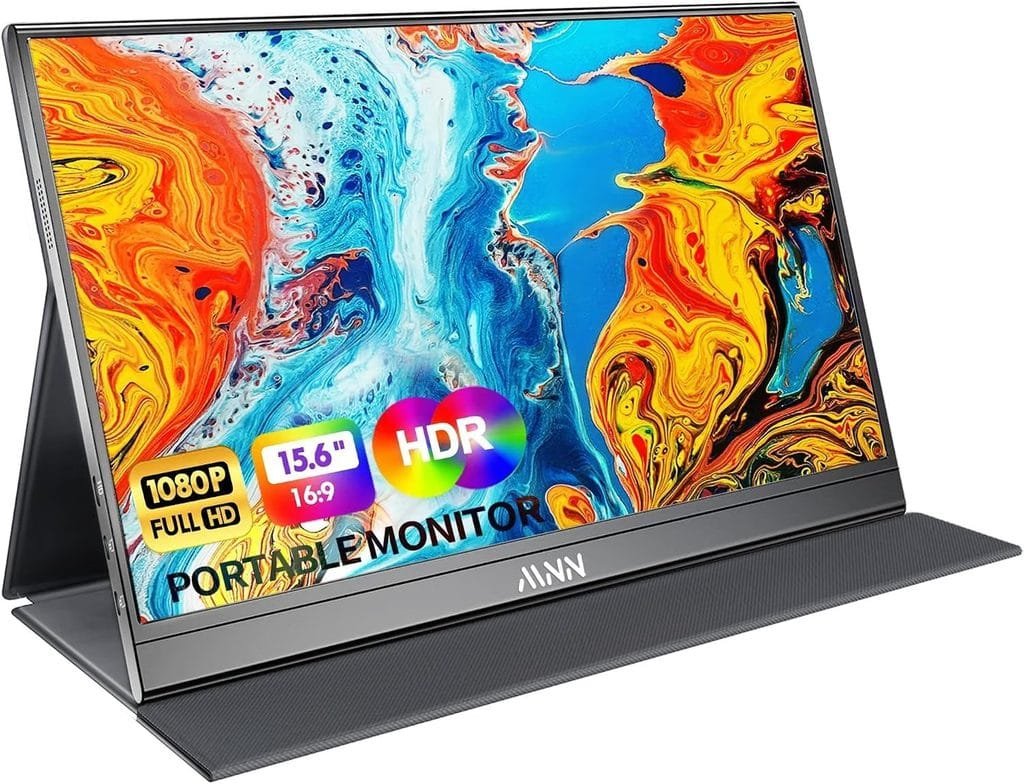
The MNN 15.6-Inch Portable Monitor is designed for laptop users who want additional screen space without carrying a traditional desktop monitor.
A portable second display can make multitasking easier by allowing users to keep multiple applications, documents, browser windows, or communication tools visible at the same time.
Its portable format makes it particularly useful for remote workers, students, business travelers, and anyone who frequently works away from a permanent desk.
🖥️ 15.6-Inch Portable Display
The 15.6-inch display provides additional workspace while remaining more portable than a conventional monitor.
Users can position the portable monitor alongside their laptop to create a dual-screen workspace for tasks such as:
- 📊 Spreadsheets
- 🌐 Web research
- 📝 Writing
- 💻 Programming
- 🎨 Design work
- 🎥 Media
- 💬 Video meetings
🔄 Great for Multitasking
A second screen can reduce the need to constantly switch between windows. For example, users can keep a browser or reference document on one display while working on the other.
This can be especially useful for professionals and students who frequently work with multiple applications simultaneously.
💼 Useful for Remote Work
Remote workers can use a portable monitor to create a more flexible workstation without investing in a large permanent monitor.
It can be useful for:
- 🧑💻 Remote work
- 🏠 Home-office setups
- 🏢 Temporary workspaces
- 🎓 Online learning
- 💻 Business travel
✈️ Travel-Friendly Design
One of the main benefits of a portable monitor is that it can travel with a laptop. This gives users the option of carrying a larger working area when they move between offices, hotels, classrooms, or other locations.
The exact weight and dimensions should be checked on the current listing before purchase.
🔌 Multiple Connectivity Options
Portable monitors commonly use connections such as USB-C and HDMI depending on the specific model and configuration.
The exact ports and supported connection methods can vary, so users should verify the current MNN 15.6-inch model’s specifications and confirm that their laptop or other device supports the required connection.
🎮 Useful Beyond Productivity
A portable display can also be useful for entertainment and gaming when connected to a compatible device.
Potential uses include:
- 🎮 Gaming
- 🎬 Movies
- 📺 Streaming
- 📸 Photo viewing
- 💻 Secondary computer display
Actual gaming performance depends on the connected device, refresh rate, resolution, connection, and software.
🧳 Compact Alternative to a Desktop Monitor
For people who do not have enough space for a permanent monitor, a portable display can provide additional screen space when needed without taking up the same amount of permanent desk space.
⭐ Key Features
- 15.6-inch portable display
- Designed as a secondary laptop screen
- Suitable for multitasking
- Portable form factor
- Useful for work and study
- Suitable for travel
- Can support compatible laptops and devices
- Useful for entertainment and gaming
- Multiple connection options depending on model
⚡ Quick Details
| Feature | Details |
|---|---|
| Product | MNN 15.6-Inch Portable Monitor |
| Category | Portable Monitors & Laptop Displays |
| Screen Size | 15.6 inches |
| Display Type | Portable external display |
| Best For | Multitasking, work, study & travel |
| Use | Laptop & compatible devices |
| Connectivity | Check current model |
| Portability | Travel-friendly |
| Price | Check latest marketplace listing |
| Availability | Check current availability |
👥 Customer Feedback
Portable-monitor buyers commonly consider display quality, brightness, color reproduction, portability, connection options, build quality, power requirements, and compatibility.
Actual experiences can vary significantly depending on the laptop, connection type, operating system, and intended use. Buyers should check recent customer reviews for the exact MNN model before purchasing.
✅ Pros
- Provides additional screen space
- Useful for multitasking
- Portable alternative to a traditional monitor
- Suitable for remote work and study
- Convenient for travel
- Useful for compatible gaming and entertainment setups
- 15.6-inch display provides a practical working area
❌ Cons
- Requires a compatible connection
- May require additional power depending on the setup
- Display quality depends on the exact model
- Adds extra weight to a travel setup
- Not a replacement for a large desktop monitor in every use case
👤 Who Should Buy It?
The MNN 15.6-Inch Portable Monitor is suitable for:
- 🧑💻 Remote workers
- 🎓 Students
- 🧑💼 Business professionals
- 💻 Multitaskers
- ✈️ Frequent travelers
- 🎮 Gamers with compatible devices
- 🎨 Creators needing additional workspace
- 🖥️ Laptop users who want a portable second screen
💡 Buying Considerations
Before purchasing, check:
- Laptop compatibility – Confirm that your laptop supports the required display connection.
- Ports – Check USB-C, HDMI, or other connection requirements for the exact model.
- Resolution – Verify the supported display resolution.
- Brightness – Consider brightness if you plan to use it in different environments.
- Power requirements – Check whether one cable is sufficient or additional power is required.
- Weight and size – Consider portability if you travel frequently.
- Stand/setup – Check how the monitor is positioned during use.
- Current reviews – Read recent customer feedback for the exact model.
- Latest price – Check the current marketplace price before ordering.
🏆 Final Verdict
The MNN 15.6-Inch Portable Monitor is a useful laptop accessory for people who need additional screen space without committing to a permanent desktop monitor.
Its portable format makes it particularly useful for multitasking, remote work, studying, travel, and flexible laptop setups, provided the monitor’s connection requirements are compatible with the user’s device.
🟢 PicksNDeals Verdict
A practical portable second screen for laptop multitasking, remote work, studying, travel, entertainment, and flexible dual-display setups.
View Latest Price, Deals & Availability
🏅 INIU 65W USB-C Laptop Charger
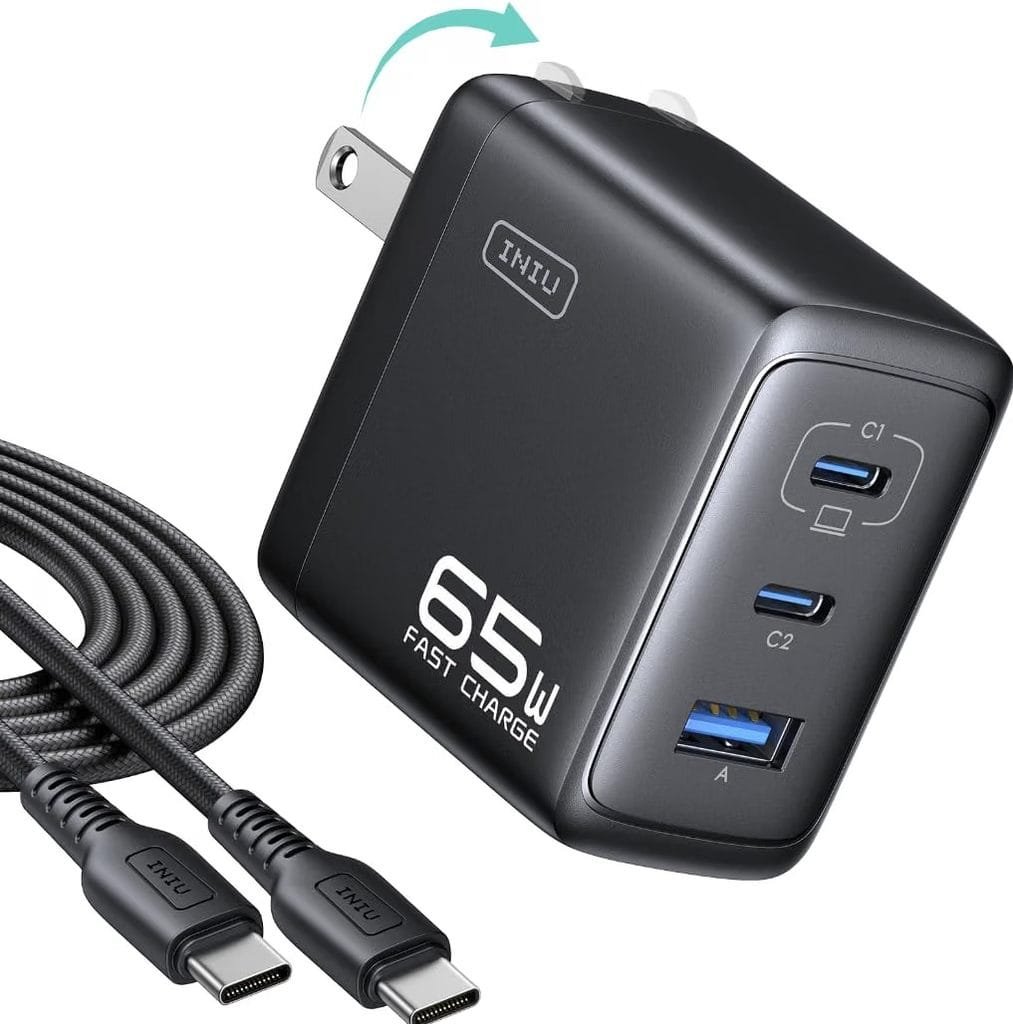
Reviews: 703
Rating: ⭐ 4.6/5
Category: 🔋 USB-C Chargers & Laptop Power Accessories
Best For: 💻 Laptop charging, travel, home-office setups, USB-C devices, and multi-device charging
📖 Product Description
The INIU 65W USB-C Laptop Charger is a compact charging accessory designed for compatible laptops and other USB-C devices. With up to 65W of power delivery, it can provide a convenient charging solution for users who want a smaller alternative to carrying multiple chargers.
A USB-C charger can be particularly useful for people who regularly work from different locations and want one charging solution for compatible laptops, smartphones, tablets, and other devices.
⚡ Up to 65W Charging Power
The charger’s 65W power capability makes it suitable for many compatible laptops and USB-C devices.
However, actual charging performance depends on the device’s charging requirements, USB-C specifications, cable, and the charger’s power-delivery configuration.
Before purchasing, users should confirm that their laptop supports the required USB-C charging standard and power level.
💻 Designed for Compatible Laptops
For laptops that support USB-C Power Delivery, a 65W charger can provide a convenient way to power or recharge the computer.
It may be useful for:
- 💻 Ultrabooks
- 🧑💻 Work laptops
- 🎓 Student laptops
- 🏠 Home-office computers
- ✈️ Travel setups
Not every USB-C laptop can be charged at 65W, so checking the laptop manufacturer’s requirements is important.
📱 Useful for Multiple USB-C Devices
USB-C charging has become common across many types of electronics. Depending on the exact INIU model and available ports, the charger may also be useful with compatible:
- 📱 Smartphones
- 📲 Tablets
- 🎧 Accessories
- 💻 Laptops
- 🔋 Other USB-C devices
The exact number of ports and power distribution should be verified on the current product listing.
🎒 Travel-Friendly Charging Solution
A compact USB-C charger can reduce the number of charging accessories users need to carry when traveling.
Instead of carrying separate charging bricks for every compatible device, users may be able to use one suitable USB-C charger for multiple devices.
🏠 Useful for Home & Office
The charger can be useful as part of a dedicated laptop workstation. Keeping a USB-C charger at a home office or workplace can also make it easier to maintain a consistent charging setup.
It can complement other accessories such as:
- 🖥️ Portable monitors
- 🖱️ Wireless mice
- ⌨️ Wireless keyboards
- 🔌 USB-C hubs
- 💾 Portable SSDs
🔒 Charging Safety Features
Modern USB-C chargers commonly include protective features designed to help manage charging conditions. The exact protection technologies available on the INIU model should be verified from the current product specifications.
Users should always use compatible cables and avoid damaged charging accessories.
🔌 USB-C Power Delivery
The charger is designed around USB-C charging technology, making it useful for compatible devices that support USB-C Power Delivery.
Because USB-C connectors can support different charging capabilities, buyers should check both the laptop’s requirements and the charger’s current specifications before ordering.
⭐ Key Features
- Up to 65W charging capability
- USB-C charging design
- Suitable for compatible laptops
- Useful for smartphones and tablets
- Compact charging solution
- Convenient for travel
- Useful for home and office
- Supports compatible USB-C Power Delivery devices
- Practical addition to a modern laptop setup
⚡ Quick Details
| Feature | Details |
|---|---|
| Product | INIU 65W USB-C Laptop Charger |
| Category | USB-C Chargers & Laptop Power Accessories |
| Power Output | Up to 65W |
| Connection | USB-C |
| Best For | Laptop charging & travel |
| Use | Compatible USB-C devices |
| Design | Compact / portable |
| Charging Standard | Check current model |
| Price | Check latest marketplace listing |
| Availability | Check current availability |
👥 Customer Feedback
USB-C charger buyers commonly consider charging speed, compatibility, size, heat management, power output, cable requirements, and reliability.
Actual charging performance varies depending on the device and cable being used. Buyers should check the latest customer reviews for the exact INIU charger listing and confirm their laptop’s required charging wattage before purchasing.
✅ Pros
- Up to 65W charging capability
- Compact and travel-friendly
- Useful for compatible laptops
- Can work with multiple USB-C devices
- Convenient for home and office
- Helps simplify a laptop charging setup
- Practical for travel
❌ Cons
- Not suitable for every laptop
- Actual charging speed depends on the device
- Cable requirements may vary
- Buyers must verify USB-C Power Delivery compatibility
- Exact port configuration can vary by model
👤 Who Should Buy It?
The INIU 65W USB-C Laptop Charger is suitable for:
- 💻 Compatible USB-C laptop users
- 🧑💻 Remote workers
- 🎓 Students
- 🏠 Home-office users
- ✈️ Frequent travelers
- 📱 Users charging multiple USB-C devices
- 🔋 People looking for a compact laptop charger
💡 Buying Considerations
Before purchasing, check:
- Laptop charging requirements – Confirm the laptop supports USB-C charging and determine its required wattage.
- Power output – Make sure 65W is sufficient for your device.
- USB-C Power Delivery – Verify compatibility with the laptop or device.
- Ports – Check the number and type of ports on the exact model.
- Cable compatibility – Make sure your USB-C cable supports the required power level.
- Travel size – Consider the charger’s dimensions and weight.
- Current specifications – INIU may offer different charger configurations, so verify the exact model.
- Current reviews – Read recent customer feedback before purchasing.
- Latest price – Check the current marketplace price and available deals.
🏆 Final Verdict
The INIU 65W USB-C Laptop Charger is a practical charging accessory for compatible USB-C laptops and other devices. Its 65W power capability and portable design make it useful for home offices, students, remote workers, and travelers.
For the best experience, buyers should verify their laptop’s USB-C charging requirements and compare them with the exact charger’s current specifications before purchasing.
🟢 PicksNDeals Verdict
A compact 65W USB-C charger for compatible laptops, smartphones, tablets, travel, and everyday home-office charging setups.
View Latest Price, Deals & Availability
🛒 Buying Guide: How to Choose the Best Laptop Accessories
Choosing the right laptop accessories depends on how you use your computer, where you work, and which problems you want to solve. The best accessory is not necessarily the most expensive one—it should provide useful features, compatibility, convenience, and value for your specific setup.
Before buying any laptop accessory, consider the following factors.
1. 💻 Check Compatibility First
Compatibility should be your first consideration. Different laptops can have different ports, operating systems, screen sizes, charging requirements, and hardware specifications.
Before purchasing an accessory, check:
- Laptop model and size
- Available USB and USB-C ports
- Operating system compatibility
- Charging requirements
- Display connections
- Supported wireless technologies
- Maximum supported laptop weight or size where applicable
This is especially important for USB-C hubs, portable monitors, chargers, laptop stands, backpacks, and wireless accessories.
2. 🔌 Consider Connectivity
If your laptop has limited ports, a USB-C hub can provide additional connectivity for peripherals and external devices.
Consider which connections you actually need, such as:
- USB-A
- USB-C
- HDMI
- SD or microSD
- Ethernet
- Audio connections
Avoid paying for ports you are unlikely to use, while making sure the accessory includes the connections required for your workflow.
3. 🖱️ Improve Comfort & Productivity
Accessories such as a wireless mouse, laptop stand, and external keyboard can make a laptop workstation more flexible.
If you spend several hours working at a desk, consider whether your current setup makes typing, navigation, and screen viewing comfortable.
A combination such as:
Laptop Stand + Wireless Keyboard + Wireless Mouse
can turn a laptop into a more desktop-style workstation.
4. 💾 Choose the Right Storage Capacity
For portable SSDs, consider how much data you need to store.
A 1TB SSD can be useful for:
- Documents
- Photos
- Videos
- Work projects
- Study materials
- Backups
- Other large files
If you regularly work with large video libraries or professional media files, you may need more capacity.
Also consider transfer performance, device compatibility, portability, and backup requirements.
5. 🖥️ Consider a Second Display
A portable monitor can be valuable if you frequently multitask.
A second screen can allow you to keep:
- Research on one screen
- Documents on another
- Email and communication visible
- Spreadsheets open while working
- Reference material available while writing
Before purchasing a portable monitor, verify its resolution, ports, power requirements, compatibility, size, and weight.
6. 📹 Think About Video-Calling Needs
If you regularly attend online meetings, classes, or interviews, consider the quality of your laptop’s built-in webcam.
An external webcam may provide a more suitable solution if you want:
- Full HD video
- Better positioning
- Dedicated camera controls
- A physical privacy shutter
- An external microphone option
Lighting also has a major impact on video quality, so even a good webcam performs better in a well-lit environment.
7. ❄️ Consider Laptop Cooling
If your laptop regularly runs demanding applications, additional airflow may be useful.
A cooling pad can be considered for activities such as:
- Gaming
- Video editing
- Long work sessions
- Heavy applications
- Extended study sessions
However, cooling performance varies by laptop and environment. A cooling pad should complement—not replace—the laptop’s internal cooling system and proper ventilation.
8. 🎒 Think About Portability
If you regularly carry your laptop between locations, portability becomes important.
Consider the combined weight of:
- Laptop
- Charger
- Mouse
- Keyboard
- Portable SSD
- Portable monitor
- Cables
- Other accessories
A larger laptop backpack can make transportation easier, but users should choose a size that matches their actual laptop dimensions and equipment.
9. 🔋 Check Charging Requirements
USB-C charging has become increasingly common, but not every USB-C port supports laptop charging.
Before buying a USB-C charger:
- Check whether your laptop supports USB-C charging
- Confirm the required wattage
- Verify Power Delivery compatibility
- Check the charger’s available ports
- Confirm cable requirements
- Review the exact model specifications
A 65W charger may be suitable for many compatible laptops, but the required power depends on the individual device.
10. 🛡️ Consider Build Quality
Accessories are often carried, plugged in, adjusted, or used every day. Build quality can therefore affect long-term usability.
Look for:
- Durable materials
- Reliable connectors
- Stable laptop stands
- Strong backpack construction
- Quality cables
- Secure hinges
- Good ventilation
- Comfortable keyboard and mouse designs
Recent customer reviews can provide useful information about long-term real-world use.
11. 💰 Compare Price & Overall Value
Price should be considered together with features and expected use.
A cheaper accessory may not provide the connections, durability, capacity, or compatibility you need. On the other hand, premium features may not be worthwhile if you only need basic functionality.
Compare:
Price + Features + Compatibility + Build Quality + Long-Term Use
rather than focusing only on the initial price.
12. ⭐ Check Recent Reviews
Marketplace ratings and reviews can change over time. Before purchasing, check the latest customer feedback for the exact product and model.
Pay particular attention to comments about:
- Real-world performance
- Compatibility
- Build quality
- Battery life
- Connectivity
- Heat
- Port reliability
- Comfort
- Long-term durability
13. 🛍️ Check the Exact Product Model
Some brands offer several products with very similar names. Make sure the product you’re buying matches the model discussed in the article.
This is especially important for:
- USB-C hubs
- Wireless keyboards
- Wireless mice
- Portable monitors
- USB-C chargers
- Laptop stands
Specifications can differ between versions.
14. 🌎 Consider Your Marketplace & Delivery
For international shoppers, check the marketplace serving your region and confirm:
- Current price
- Availability
- Shipping options
- Estimated delivery
- Return policy
- Warranty
- Taxes or import charges where applicable
Product availability and pricing can vary between countries.
🏆 Quick Buying Checklist
Before purchasing any laptop accessory, ask:
✔ Is it compatible with my laptop?
✔ Does it solve a problem I actually have?
✔ Are the specifications suitable for my use?
✔ Is the size appropriate?
✔ Is the build quality acceptable?
✔ Have I checked recent customer reviews?
✔ Does the current price provide good value for my needs?
✔ Are shipping, returns, and warranty suitable for my region?
💡 Final Buying Tip
The ideal laptop setup depends on your personal workflow. A student may prioritize portability and storage, while a remote worker may focus on ergonomics, video calls, and productivity. A creator may need additional storage and screen space, while a traveler may prioritize compact accessories.
Choose accessories based on your actual laptop, workflow, compatibility requirements, and budget rather than simply buying every accessory available.
🏆 Our Top Recommendations
After comparing the key features, compatibility, practicality, portability, build quality, and everyday usefulness of these laptop accessories, we selected products that cover a wide range of needs—from connectivity and storage to productivity, cooling, travel, charging, and dual-screen setups.
Whether you work from home, study, travel frequently, attend online meetings, or simply want to make your laptop setup more comfortable and efficient, these recommendations offer practical options for different use cases and budgets.
⭐ Our Top Picks at a Glance
- 🔌 BENFEI USB-C Hub 5-in-1 — Best for expanding laptop connectivity
- 🖱️ TECKNET Wireless Mouse — Best for everyday navigation and productivity
- 💻 Nulaxy Adjustable Laptop Stand — Best for a more ergonomic workspace
- 💾 Samsung T7 Portable SSD 1TB — Best for portable storage and backups
- 📹 Logitech Brio 101 Webcam — Best for video calls and remote work
- ⌨️ Arteck Wireless Keyboard — Best for comfortable wireless typing
- ❄️ Havit HV-F2056 Laptop Cooling Pad — Best for additional laptop airflow
- 🎒 DUSLANG 17-Inch Laptop Backpack — Best for laptop travel and commuting
- 🖥️ MNN 15.6-Inch Portable Monitor — Best for a portable second screen
- 🔋 INIU 65W USB-C Laptop Charger — Best for compatible USB-C laptop charging
💡 Why These Accessories Stand Out
These products were selected to address common laptop-user needs without focusing on just one type of accessory. Some improve connectivity, while others can help with comfort, storage, communication, cooling, portability, display space, or charging.
Before purchasing, always confirm device compatibility, available ports, power requirements, dimensions, and the latest marketplace specifications. Product prices, availability, ratings, and seller information can change over time.
The right laptop accessories depend on how you use your laptop, so choose the products that best match your setup, workflow, and everyday needs.
🏆 Quick Recommendation Summary
If you want to quickly choose from our Best Laptop Accessories 2026, here’s a simple breakdown based on common laptop needs:
| Laptop Need | Recommended Accessory | Best For |
|---|---|---|
| 🔌 More Ports | BENFEI USB-C Hub 5-in-1 | Expanding laptop connectivity |
| 🖱️ Everyday Navigation | TECKNET Wireless Mouse | Browsing, work, and study |
| 💻 Better Desk Setup | Nulaxy Adjustable Laptop Stand | Ergonomics and comfortable positioning |
| 💾 Extra Storage | Samsung T7 Portable SSD 1TB | Backups, file transfers, and storage |
| 📹 Video Calls | Logitech Brio 101 Webcam | Meetings, classes, and remote work |
| ⌨️ Comfortable Typing | Arteck Wireless Keyboard | Office work and extended typing |
| ❄️ Laptop Cooling | Havit HV-F2056 Laptop Cooling Pad | Airflow and extended laptop use |
| 🎒 Laptop Travel | DUSLANG 17-Inch Laptop Backpack | Commuting, work, and travel |
| 🖥️ Second Screen | MNN 15.6-Inch Portable Monitor | Multitasking and dual-screen setups |
| 🔋 USB-C Charging | INIU 65W USB-C Laptop Charger | Compatible laptops and USB-C devices |
💡 Quick Buying Tip
Choose based on your actual laptop needs rather than buying every accessory. Check compatibility, ports, power requirements, dimensions, portability, and the latest product information before ordering.
For example:
- Need more connectivity? → Choose a USB-C hub.
- Want better comfort? → Consider a laptop stand and wireless mouse.
- Need more storage? → A portable SSD can be useful.
- Work with video calls? → Consider a dedicated webcam.
- Need more screen space? → A portable monitor can help.
- Travel frequently? → A protective laptop backpack is practical.
- Need reliable charging? → Check whether a USB-C charger matches your laptop’s required power.
The best laptop accessory is the one that solves a specific problem in your daily workflow while remaining compatible with your device.
📊 Quick Comparison
| # | Laptop Accessory | Category | Key Feature | Best For |
|---|---|---|---|---|
| 1 | BENFEI USB-C Hub 5-in-1 | 🔌 Connectivity | Multiple essential ports | Expanding laptop connectivity |
| 2 | TECKNET Wireless Mouse | 🖱️ Mouse | Wireless everyday navigation | Work, study & browsing |
| 3 | Nulaxy Adjustable Laptop Stand | 💻 Laptop Stand | Adjustable positioning | Ergonomic desk setups |
| 4 | Samsung T7 Portable SSD 1TB | 💾 Storage | Portable 1TB SSD storage | Backups & file transfers |
| 5 | Logitech Brio 101 Webcam | 📹 Webcam | Full HD video | Video calls & meetings |
| 6 | Arteck Wireless Keyboard | ⌨️ Keyboard | Wireless typing | Office & study |
| 7 | Havit HV-F2056 Cooling Pad | ❄️ Cooling | Multi-fan airflow | Extended laptop use |
| 8 | DUSLANG 17-Inch Laptop Backpack | 🎒 Travel | Large laptop compartment | Commuting & travel |
| 9 | MNN 15.6-Inch Portable Monitor | 🖥️ Display | Portable second screen | Multitasking & travel |
| 10 | INIU 65W USB-C Laptop Charger | 🔋 Charging | Up to 65W USB-C charging | Compatible laptops & devices |
💡 Quick Takeaway
These accessories cover the most common laptop needs, including connectivity, navigation, ergonomics, storage, video calls, typing, cooling, travel, additional screen space, and charging.
Before purchasing, check your laptop’s ports, compatibility, power requirements, dimensions, and the latest marketplace listing to make sure the accessory fits your specific setup.
❓ Frequently Asked Questions
1. What are the most useful laptop accessories in 2026?
The most useful laptop accessories depend on how you use your computer. Commonly useful options include a USB-C hub, wireless mouse, laptop stand, portable SSD, webcam, wireless keyboard, cooling pad, laptop backpack, portable monitor, and USB-C charger. Choose accessories that solve a specific need in your daily workflow.
2. What should I look for when buying laptop accessories?
Check compatibility, connectivity, build quality, portability, power requirements, dimensions, features, reviews, and overall value. For USB-C accessories and chargers, pay particular attention to the specifications supported by your laptop.
3. Is a USB-C hub useful for a laptop?
Yes. A USB-C hub can be useful when a laptop has limited built-in ports. Depending on the model, a hub may provide additional connections for USB devices, displays, memory cards, Ethernet, and other peripherals. Always check which ports and standards your laptop and hub support.
4. Is a laptop stand worth buying?
A laptop stand can be useful for creating a more comfortable desk setup. Raising the laptop can help position the screen at a more convenient height and can also free up desk space. An adjustable model provides greater flexibility for different users and setups.
5. Do I need an external mouse with a laptop?
Not necessarily, but an external mouse can make everyday navigation, office work, browsing, and extended computer use more convenient for some users. Wireless models are particularly useful when you want a cleaner and more portable setup.
6. Is a portable SSD good for laptop storage?
A portable SSD can provide additional storage and a convenient way to transfer or back up files. Models such as the Samsung T7 Portable SSD are designed for portable use, but actual performance depends on the SSD, laptop port, cable, and supported connection standard.
7. Do I need a webcam if my laptop already has one?
A dedicated webcam is optional. It can be useful if you want features or image quality beyond what your built-in webcam provides, particularly for remote work, online classes, meetings, and frequent video calls.
8. Can a laptop cooling pad help with overheating?
A cooling pad can improve airflow around a compatible laptop and may help with thermal management during extended use. However, its effectiveness depends on the laptop design, ventilation system, workload, ambient temperature, and condition of the laptop’s internal cooling system.
9. Is a portable monitor useful for a laptop?
Yes. A portable monitor can provide additional screen space for multitasking, remote work, studying, presentations, travel, and entertainment. Before buying one, check your laptop’s compatible video-output connections and the monitor’s power requirements.
10. What wattage USB-C charger do I need for my laptop?
The required wattage depends on your laptop. Check the manufacturer’s recommended charger or the original adapter specifications before purchasing a replacement. A charger should support the appropriate USB Power Delivery standard and sufficient wattage for your device.
11. Are wireless keyboards good for laptop use?
Wireless keyboards can be useful when you want a more traditional typing experience or a desktop-style setup. They can also provide more flexibility when the laptop is connected to an external monitor or placed on a stand.
12. What laptop accessories are useful for travel?
For travel, useful accessories can include a protective laptop backpack, compact charger, wireless mouse, portable SSD, USB-C hub, and portable monitor. Prioritize lightweight designs, durable construction, compact dimensions, and compatibility with your devices.
13. Should I buy laptop accessories from Amazon?
Amazon can be a convenient marketplace for comparing products, specifications, customer feedback, sellers, prices, and availability. However, always review the exact product model, seller information, return policy, compatibility, and current listing details before ordering.
14. Can laptop accessories work with any laptop?
No. Compatibility varies between laptops and accessories. Check USB-C/USB-A ports, display-output support, operating-system compatibility, charging requirements, laptop size, and other specifications before purchasing.
15. What are the best laptop accessories for students?
Students may benefit from accessories that improve portability, organization, and productivity. A wireless mouse, laptop stand, USB-C hub, portable SSD, backpack, and suitable charger can be useful depending on their study setup and laptop.
16. What are the best laptop accessories for remote work?
For remote work, useful options may include a wireless mouse, laptop stand, external keyboard, webcam, USB-C hub, portable SSD, and additional monitor. The ideal combination depends on your workspace, laptop ports, and daily tasks.
17. How do I choose the right laptop accessories?
Start by identifying the problem you want to solve. If you need more ports, consider a USB-C hub. For improved desk comfort, consider a laptop stand and external mouse or keyboard. For storage, consider a portable SSD. For multitasking, a portable monitor may be useful.
Before purchasing, verify compatibility, specifications, dimensions, power requirements, reviews, current price, and availability.
18. Do laptop accessories improve productivity?
The right accessories can make a laptop setup more convenient and adaptable. For example, additional connectivity can simplify peripheral use, external storage can make file management easier, and a second display can provide more workspace. The actual benefit depends on the user’s workflow and requirements.
🔔 Stay Tuned for More
Keep exploring PicksNDeals for more product guides, reviews, comparisons, and useful buying recommendations designed to help you discover practical products for everyday life.
We regularly cover technology, electronics, laptop accessories, gadgets, fitness products, fashion, home essentials, and other popular products available from major online marketplaces.
🔎 Looking for your next useful product? Keep checking PicksNDeals for more updated product guides and reviews.
📌 Bookmark PicksNDeals and stay tuned for more product discoveries, comparisons, and buying tips.
🛍️ Keep Exploring PicksNDeals
Your search for useful products doesn’t have to stop here. PicksNDeals brings you practical product guides, reviews, comparisons, and buying tips to help you discover products that fit your everyday needs.
Explore more guides covering:
- 💻 Technology & Laptop Accessories
- 🎧 Electronics & Gadgets
- 🏋️ Fitness & Health Products
- 👕 Fashion & Clothing
- 💎 Jewellery & Accessories
- 🏠 Home & Everyday Essentials
- 🛒 Product Reviews & Buying Guides
Whether you’re looking for a useful gadget, a productivity accessory, a travel essential, or something for your everyday lifestyle, keep exploring PicksNDeals for more product discoveries and helpful buying information.
🔎 Find Your Next Pick
https://picksndeals.com/product-category/computer-laptop-accessories
Explore more PicksNDeals guides, compare your options, and discover products worth considering.
PicksNDeals — Pick Better. Shop Smarter.
❤️ Thank You for Reading
Thank you for reading our Best Laptop Accessories 2026 guide on PicksNDeals.
We hope this guide helped you compare different laptop accessories and identify options that fit your work, study, travel, entertainment, or everyday computing needs.
Before making a purchase, remember to check the latest price, availability, specifications, compatibility, and customer reviews, as marketplace information can change over time.
🔎 Keep exploring PicksNDeals for more product guides, reviews, comparisons, and useful buying tips.
Happy shopping, and thanks for choosing PicksNDeals! ❤️
“Really helpful list, I was looking for some of these laptop accessories.”
“Great recommendations! The cooling pad and laptop stand look really useful.”
“This is actually a very useful guide for laptop users 👍”
“I didn’t know I needed so many laptop accessories 😄 Good list!”
“Very useful article, especially for people setting up a new laptop.”
“Nice collection of accessories. Definitely checking some of these out.”
“The laptop backpack and cooling pad caught my attention. Great picks!”
“Helpful guide! I’ll definitely keep this list in mind when buying accessories.”
“Good recommendations, everything looks quite practical.”
“Really useful post. Thanks for putting all these accessories together!”